
PH44 Login
What is PH44 Login?
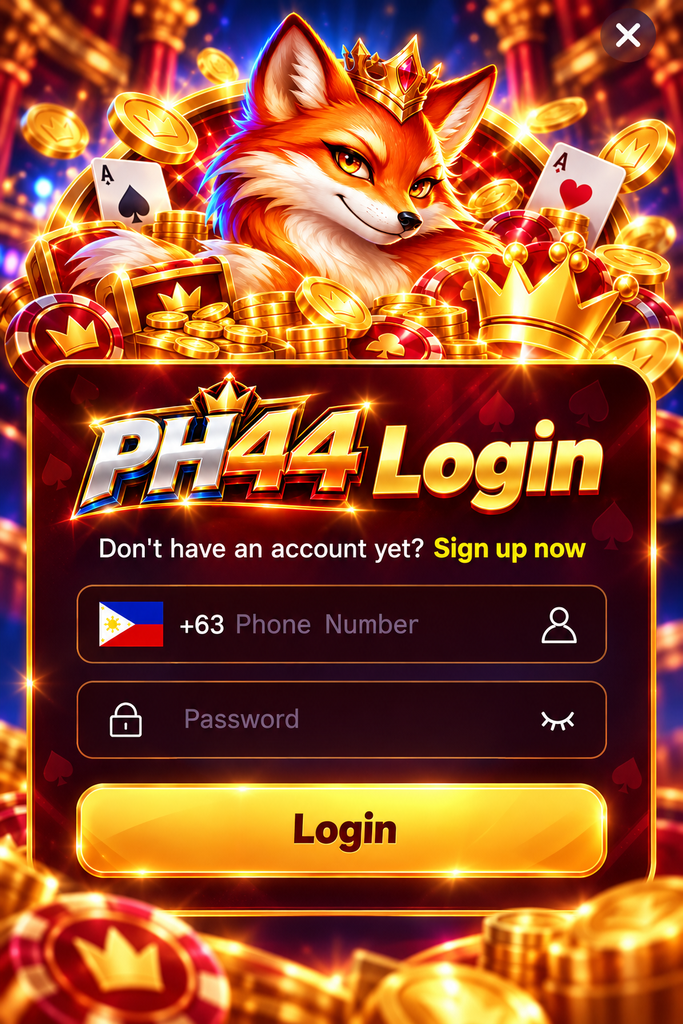
PH44 Login is the account sign-in section for returning users who want to access their gaming profile through a mobile device. The login interface uses a Philippine phone number field with the +63 country code and a password field, keeping the information needed for sign-in straightforward.
For Filipino users who frequently switch between Wi-Fi and mobile data, reliable account access is particularly important. A login page should be easy to understand, responsive on smaller screens, and clear about what happens when incorrect details are entered.
This guide focuses on signing in, handling Philippine mobile numbers, resolving common account problems, and protecting personal information without unnecessary installation or complicated procedures.
PH44 Login Information
| Login Feature | Details |
|---|---|
| Platform | PH44 |
| Access Type | Account Login |
| Country Code | +63 Philippines |
| Login Credentials | Mobile Number and Password |
| Mobile Devices | Android and iPhone |
| Registration | Separate Account Registration Option |
| Password Recovery | Availability depends on account support |
| Connection | Mobile Data or Wi-Fi |
| Account Protection | Password and Identity Verification |
How to Login to PH44 on Your Phone
The PH44 Login interface is designed around two essential details: a registered mobile number and an account password.
Before signing in, make sure you are using the correct platform address and that the connection is stable.
Enter Your Philippine Mobile Number
The Philippines uses the +63 international dialing code. If the login field already displays +63, users may need to enter their mobile number without the initial zero.
For example:
- Local mobile number: 0917 123 4567
- International format: +63 917 123 4567
The exact input format depends on how the website processes mobile numbers. Follow the instructions shown beside the phone number field.
A common mistake is entering both +63 and the leading zero, which can cause the number to be rejected.
Enter Your Account Password
After entering the registered phone number, type the password associated with the account.
Passwords are case-sensitive, so check uppercase letters, numbers, and special characters carefully.
Avoid repeatedly guessing an incorrect password. Multiple failed attempts may trigger temporary security restrictions on some account systems.
Complete the Login Process
Select the Login button after checking both fields.
If the credentials are accepted, the system should open the account area. If an error appears, read the displayed message before making another attempt.
Do not share your password or verification codes with anyone offering to complete the login process on your behalf.
Common PH44 Login Problems and Solutions
Account access issues can happen even when a phone and internet connection appear to work normally.
Knowing the possible causes can save time and prevent unnecessary password changes.
| Login Problem | Possible Cause | Suggested Solution |
|---|---|---|
| Invalid Mobile Number | Incorrect +63 formatting | Check the registered number and country code |
| Incorrect Password | Typing error or outdated password | Re-enter carefully or use verified recovery |
| Login Page Not Loading | Weak connection or browser issue | Switch networks and refresh the page |
| Verification Code Not Received | SMS delay or incorrect number | Check the number and wait before requesting again |
| Account Temporarily Restricted | Security checks or repeated failed attempts | Contact authenticated account support |
| Session Expires | Inactivity or connection interruption | Return to the verified login page |
If the same problem continues after basic troubleshooting, avoid creating additional accounts simply to regain access. This may complicate identity verification and account recovery.
Forgot Your PH44 Password?
Forgetting a password is one of the most common account access problems, especially for people who use several gaming or entertainment websites.
If the platform provides a password recovery feature, begin there rather than contacting an unfamiliar third party.
Recovering Access to Your Account
Look for an official password recovery option on the login screen or contact the platform’s verified support channel.
Depending on the available recovery system, you may be asked to confirm your registered phone number or complete additional identity checks.
When choosing a replacement password, avoid using your birthday, mobile number, or passwords already associated with other accounts.
A unique password reduces the chance that a security incident involving another service will affect your gaming account.
What If Your Registered SIM Is No Longer Active?
Losing access to a registered SIM card can complicate SMS verification.
If your previous mobile number is unavailable, contact authenticated customer support to ask about identity verification and number recovery procedures.
Never provide account passwords or one-time verification codes to individuals claiming they can bypass these checks.
PH44 Login on Android and iPhone
Mobile browser access is useful for users who prefer not to install additional software.
Android users can check the platform through a compatible browser such as Chrome, while iPhone users may use Safari if browser-based access is supported.
Improving Mobile Login Stability
A slow login screen does not necessarily indicate an account problem.
Try these practical checks:
- Close unnecessary browser tabs.
- Switch between Wi-Fi and mobile data when the connection is unstable.
- Update the browser when compatibility issues occur.
- Disable conflicting browser extensions if necessary.
- Avoid refreshing a page while a verification request is processing.
For users relying on prepaid mobile data, waiting for a stable signal before submitting credentials can help prevent interrupted sessions.
Keeping Your PH44 Account Secure
A phone number and password are convenient login credentials, but account protection requires more than remembering them.
Public Wi-Fi networks, shared devices, and suspicious login links can expose personal information if users are not careful.
Recognizing Suspicious Login Pages
A fake login page may imitate the ph44 design while sending entered credentials to an unrelated party.
Before signing in, check that the domain matches the platform’s authenticated address.
Be cautious of messages requesting urgent password confirmation, unexpected OTP submissions, or deposits to reactivate account access.
Users should also verify the platform’s operating entity and regulatory authorization before participating in real-money gaming.
Logging Out on Shared Devices
Not everyone in the Philippines uses a personal smartphone for every online activity.
When accessing an account on a shared phone or computer, avoid saving passwords and sign out after finishing.
Closing a browser tab does not always terminate an active session, so use the account’s logout function whenever available.
PH44 Login vs PH44 Register
Although the login and registration pages may look similar, they serve different purposes.
PH44 Login is intended for existing account holders. The PH44 Register section is for eligible users who need to create a new account.
Returning users should not register again simply because they have forgotten their password.
Duplicate registration may create identity verification difficulties, particularly when the same phone number or payment information is involved.
In the Philippines, real-money gaming eligibility is subject to applicable regulatory requirements, including age and identity restrictions. Users should confirm these conditions before creating an account.
Frequently Asked Questions
Can I login to PH44 using a Philippine phone number?
The login interface includes the +63 country code for Philippine mobile numbers. Users should enter the number associated with their account and follow the displayed formatting instructions.
Why can’t I access my PH44 account?
Possible reasons include incorrect credentials, an unstable connection, verification requirements, or account restrictions. Check the displayed error message before contacting authenticated support.
Can I use PH44 Login without downloading an app?
Browser-based access may be possible if the active platform supports it. Confirm the authenticated website and device compatibility before entering account information.
What should I do if I forget my PH44 password?
Use the platform’s verified password recovery process where available. If recovery is unsuccessful, contact authenticated support and avoid sharing passwords or OTP codes with third parties.